


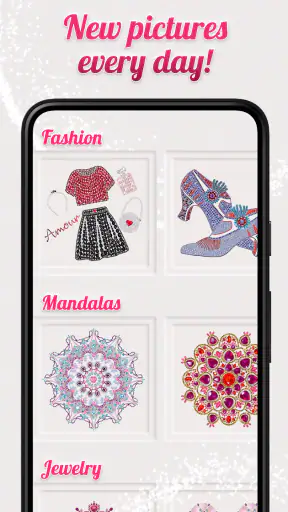
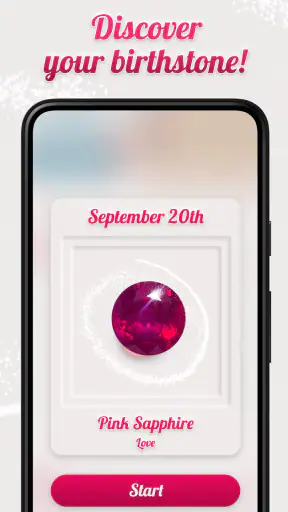

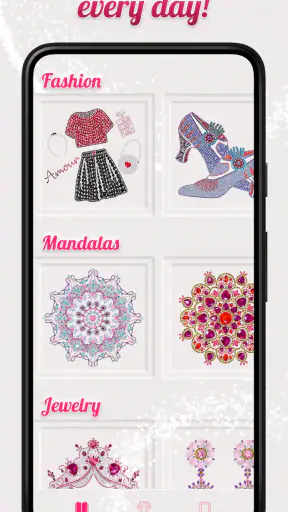
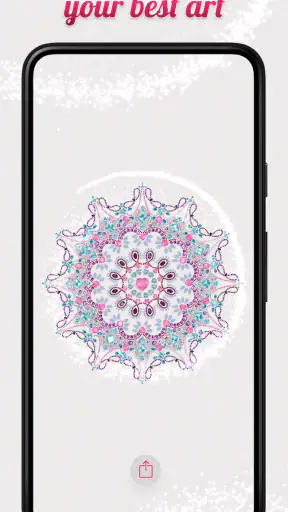
I approached Dazzly: Color by Number Game as a calming entertainment app rather than a conventional game, and that distinction matters. Its main appeal is the quiet rhythm of filling a diamond-art image by matching numbered sections with colors. There is no pressure to compete, no complicated rule set to learn, and no need to understand a story before getting started. I could open it when I wanted a short mental break and begin coloring almost immediately.
That simple idea is also the reason this app will not suit everyone. If you want fast action, deep progression, or a strong social element, you may find the experience too gentle. If you enjoy visual crafts, color-by-number activities, or relaxing screen time, however, the format is easy to understand and pleasantly focused. GEODE presents it as an entertainment app, and that is the right way to view it: a digital coloring book designed to occupy your attention without demanding too much from you.
How the coloring experience feels in everyday use
The first thing I noticed was how quickly the central activity makes sense. You choose an image, select a color, and look for the matching numbered areas. The interaction is more about careful attention than reflexes. That gives Dazzly a slower character than puzzle games built around timers or limited moves. I can see myself using it while waiting for an appointment, winding down after work, or taking a break from a more demanding task.
The diamond-art presentation gives the coloring process a slightly different feel from a standard digital coloring book. Instead of freely brushing across a blank canvas, I am following a prepared pattern and gradually revealing the finished picture. That structure is helpful when I want guidance. It removes the pressure of deciding which colors belong where, while still giving me a small sense of progress as the image becomes more complete.
There is also a useful psychological boundary to the activity. Because the picture is divided into numbered areas, I do not need to invent a project or commit to a long creative session. I can color for a few minutes and stop. That makes it easier to fit into ordinary routines than a hobby that requires physical materials, a clear table, and time to clean up afterward.
The best part is the low mental entry cost. I do not have to remember complicated controls or learn a large set of rules. Once I understand the color-matching process, my attention can settle on the image itself. For someone who finds ordinary games overstimulating, that is a meaningful advantage.
Speed expectations before you settle in
From a user’s point of view, the app is designed around short transitions into the coloring activity rather than long preparation. The experience feels most successful when I treat it as something I can pick up casually. I would not choose it for an urgent moment when I need instant entertainment with constant action, but it fits well when I want a calm activity that can continue at my own pace.
Perceived speed here is not only about opening screens. It is also about how quickly I can understand what to do. Dazzly avoids the learning curve associated with many game categories because the visual task explains itself. That makes it approachable for people who do not usually play games, including someone looking for a simple creative pastime rather than a competitive challenge.
The smoothest routine is to choose an image before you are already distracted, then work through one color family at a time. This reduces the amount of searching and makes the session feel more orderly. I found that the app is more relaxing when I avoid treating completion as a race. The point is not to fill every area as quickly as possible; the point is to let the repetitive action become the break.
There is a trade-off, though. The same predictable structure that makes the app easy to enter can make it feel less exciting over a long session. After extended coloring, the activity may begin to feel repetitive, especially if you prefer games that constantly introduce new mechanics. Dazzly’s speed is therefore best judged by how quickly it gets you into a restful state, not by how much novelty it delivers minute by minute.
What happens during longer or heavier sessions
Short sessions are the natural fit, but I also considered what happens when I continue coloring for a longer period. The app’s workload is tied closely to displaying detailed artwork and responding to repeated touch input. That is different from a simple text-based utility, so the visual nature of the experience should be part of your expectations. On a newer device, the activity should feel more comfortable simply because the screen can make small numbered areas easier to inspect.
Heavier use can also mean moving through several pictures instead of completing one slowly. That creates more visual loading and more time spent navigating the artwork collection. I would avoid judging the app only by the first few minutes, because a coloring app is likely to be used in patterns: a quick image here, a longer session there, and perhaps repeated visits during a stressful week.
My practical advice is to use it in focused blocks. A short session keeps the activity soothing and reduces the chance that the repetitive tapping starts to feel like a chore. If you want to spend a long evening with it, taking occasional breaks is sensible, particularly because close attention to small sections can become tiring even when the app itself remains enjoyable.
The app may also demand more from your attention than its calm appearance suggests. Finding tiny numbered spaces is relaxing for some people but visually fatiguing for others. I would recommend testing an image with varied detail before deciding whether it belongs in your regular downtime routine. Someone with limited patience for precise tapping may prefer a free-form coloring app, where broad strokes feel more forgiving.
Stability, recovery, and the value of a simple workflow
Reliability is especially important in a relaxing app. If I open a coloring activity to decompress, interruptions or confusing recovery steps can undermine the whole purpose. Dazzly benefits from having a straightforward core interaction: select a picture, match colors, and continue. That simplicity makes it easier to return to the task after a distraction than it would be with a game requiring a complicated sequence of decisions.
I also like that the activity does not require me to maintain a competitive state of mind. If I pause because a message arrives or I need to put the phone down, I am not losing a match or missing a timed opportunity. That makes recovery from interruptions feel less stressful. It is a small design advantage, but it matters in an app intended for relaxation.
Still, no coloring app can remove every source of friction. Touch accuracy, screen size, and the density of an illustration all affect how dependable the experience feels in practice. If a section is very small, I may need to zoom or tap more carefully rather than moving quickly. That is not necessarily a fault, but it changes the experience from effortless coloring to a more deliberate visual task.
For that reason, I would judge reliability in two layers. The first is whether the app lets me return to the coloring routine without a steep learning curve. The second is whether my device makes the artwork comfortable to handle. Dazzly does well on the first point because its concept is clear. The second depends more heavily on the phone or tablet I use.
Device limits and choosing the right expectations
The app supports Android devices running version 8.0 or later, which gives it a broad compatibility range while still leaving very old phones outside its intended reach. That requirement is worth checking before installation, especially if you keep an older spare device for casual entertainment. Compatibility is only the first consideration, though; screen quality and available space can influence enjoyment just as much.
A larger display can make detailed pictures easier to work with, while a compact phone may be more convenient for quick sessions. I would choose the device based on how I plan to use the app. For commuting or waiting rooms, a phone is practical. For a longer coloring session at home, a tablet-sized screen could make small areas less demanding to inspect.
Resource demands are also best considered in context. Dazzly is visually focused, so it is reasonable to expect artwork and touch interaction to matter more than they would in a basic note-taking app. I would close unrelated heavy apps if my device is older or already struggling, not because the coloring concept is complex, but because available system resources can affect any image-based experience.
Storage planning is another sensible habit when using an app centered on visual content. I would keep some free space available and avoid installing it on a device that is already nearly full. That is general device care rather than a special requirement, but it can make updates and everyday use less troublesome.
The app is rated for Everyone, which matches my impression of its accessible concept. That does not mean every person will enjoy it equally. Younger users may appreciate the easy color-matching activity, while adults may use it as a quiet break. The age rating describes accessibility, not the guarantee of a particular level of stimulation or artistic freedom.
Where it fits compared with other coloring and relaxation options
Compared with a physical coloring book, Dazzly is cleaner and easier to carry. I do not need pencils, a sharpener, or a surface where pages can lie flat. I can also use it in situations where carrying art supplies would be inconvenient. The compromise is that the experience depends on a screen, and some people will always prefer the texture and freedom of real materials.
Compared with free-form digital painting apps, it offers more guidance and less creative control. I do not have to choose every color or draw the image myself, which is exactly why it works well for stress relief. On the other hand, artists who want to sketch, blend shades, or build an original composition should choose a proper drawing tool instead.
Compared with action-oriented mobile games, the appeal is almost the opposite. There is less urgency, less competition, and less need to react quickly. That makes it a better choice for quiet evenings, but a weaker choice when I want excitement or a clear test of skill. It is also different from meditation apps: the colored image gives my eyes and hands something concrete to do, which may help people who struggle with completely passive relaxation.
The free price makes it easy to try without committing money upfront, but in-app purchases range from $2.99 to $99.99 per item. That range is important for families and anyone trying to keep entertainment spending predictable. I would approach optional purchases deliberately rather than tapping through them automatically. The free entry point is useful, but the presence of higher-priced items means it is worth paying attention during browsing and checkout.
That purchase structure also affects who should skip the app. If you want a completely unrestricted coloring library with no temptation to spend, a physical book or a carefully chosen alternative may feel more comfortable. If you are happy to sample a free app and decide later whether additional content is worth paying for, Dazzly remains easy to evaluate on its own terms.
Three practical ways I would use it
My first use case would be the transition between work and home. Instead of moving directly from a demanding task to endless scrolling, I could spend a short period filling a picture. The numbered pattern gives my attention a single destination, while the lack of a timer prevents the break from becoming another performance task.
My second use case would be travel or waiting. A coloring session does not require sound, conversation, or a large physical setup. I could use it when I want something more engaging than reading a few headlines but less demanding than a full game. The key is to choose a manageable image rather than starting with the most detailed option when I know I only have a few minutes.
My third use case would be a deliberate screen-time routine. I would set a stopping point before opening the app, perhaps after finishing a section or coloring for a chosen period. This is useful because the activity can feel harmless enough to continue indefinitely. A simple boundary keeps it serving as a break instead of becoming another way to lose an evening.
A less obvious tip is to treat color order as a focus tool. Rather than jumping randomly between numbered areas, I would finish one selected color before moving to another. That reduces visual clutter and gives the session a series of small milestones. It also makes the finished image easier to appreciate because I can see the artwork develop in stages.
Another useful trade-off is choosing precision over speed when the image becomes dense. Fast tapping may sound efficient, but it can make the activity frustrating if I repeatedly miss small sections. Slowing down, adjusting how I hold the device, and working in a comfortable position can make the experience more relaxing than trying to complete the picture quickly.
Who will enjoy it, and who should look elsewhere
I would recommend Dazzly to people who like guided creative activities, repetitive tasks, and visual progress. It is particularly suitable for someone who wants a low-pressure entertainment app that can be used in short bursts. It may also appeal to people who enjoy the look of diamond art but do not want to buy or store physical craft materials.
I would be more cautious recommending it to users who need constant novelty. The core loop is intentionally narrow, and its strength comes from repetition rather than variety in controls. Players who want strategy, competition, narrative, or demanding challenges will probably get more satisfaction from another category.
I would also suggest thinking about hand comfort and eyesight. The activity involves examining numbered areas and tapping accurately, so anyone who finds small on-screen details tiring may prefer a larger display or a less precise coloring format. That is not a reason to dismiss the app immediately, but it is a real consideration that the relaxing presentation can make easy to overlook.
My performance verdict after weighing the trade-offs
Dazzly works best when I treat it as a focused relaxation tool with game-like structure, not as a full-featured action game. Its accessible color-by-number format gets me started quickly, its calm pace makes interruptions less disruptive, and its visual progress gives the mind something concrete to follow. The experience is most convincing in short, intentional sessions where I want to replace restless scrolling with a simple activity.
GEODE’s app has a 4.6 average from around 150 thousand ratings, with roughly 7.1 thousand written reviews, and it has passed 5 million installs. Those figures suggest that the format has found a substantial audience, but they do not change the personal trade-off: popularity cannot make a repetitive coloring loop exciting for someone who wants action.
It is free to install, rated for Everyone, and currently listed as version 26.07.3. I would check that my device meets the Android 8.0 requirement, keep realistic expectations about detailed touch work, and remember that optional purchases can range from $2.99 to $99.99 per item. With those points in mind, the app is easy to try without treating it as a major commitment.
My final view is positive but specific. I would choose Dazzly when I want quiet visual concentration, a portable craft-like activity, or a gentle way to mark the end of a stressful day. I would skip it when I want deep gameplay, unrestricted drawing, or a completely purchase-free environment. For the right user, its modest ambition is exactly its strength: it gives me one picture, one color at a time, and enough structure to let my attention slow down.


